News analysis ·
Microsoft Outage Scams: How Savers' Accounts Get Targeted
A Microsoft outage disrupted Outlook and Teams, and an expert warns of fake fixes and payment requests. How the scheme works and the habits that stop it.
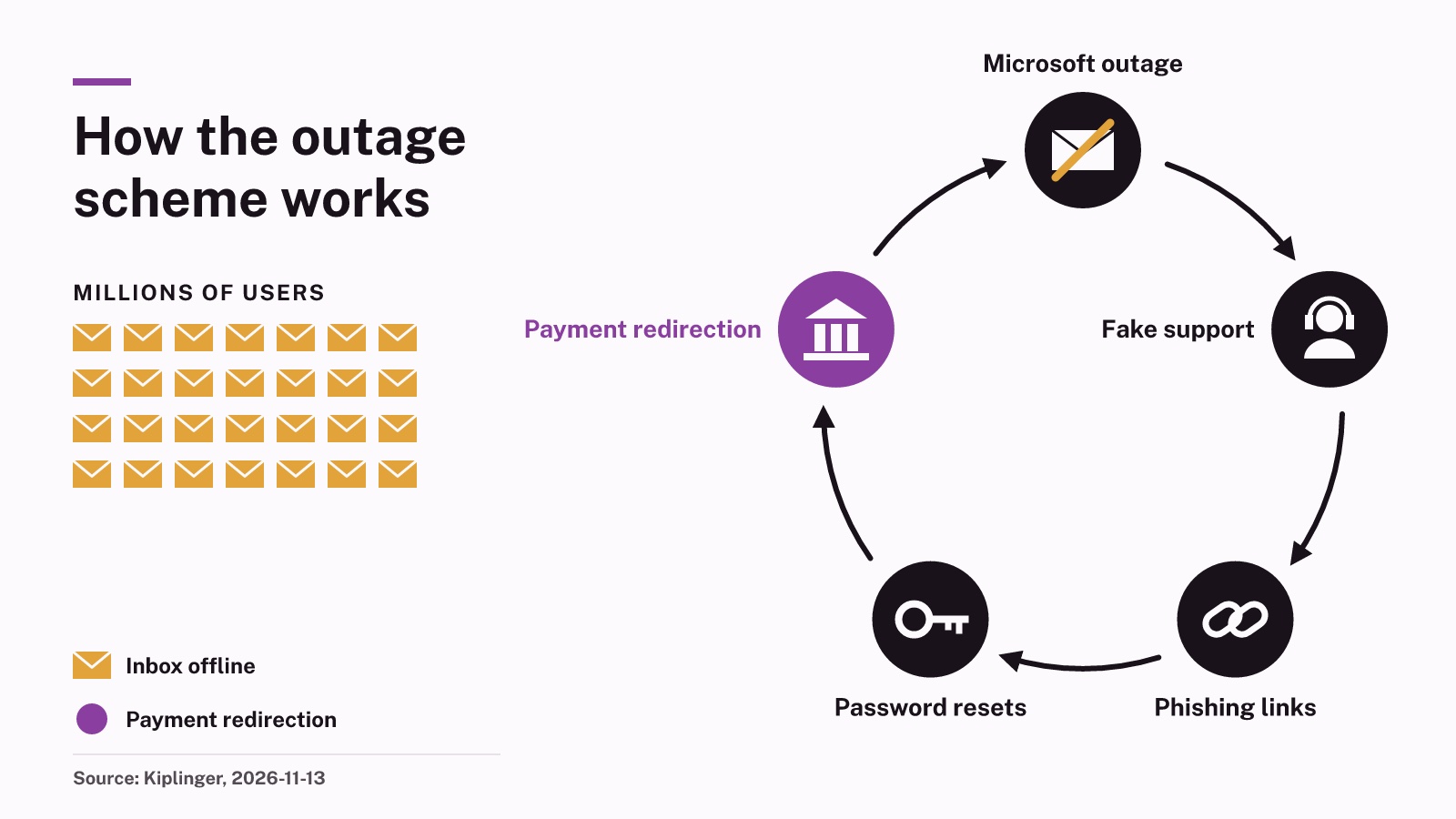
A Microsoft outage knocked out Outlook, Teams and other tools for millions of people, and Kiplinger reported on 2026-11-13 on the scam risk that follows such failures. This article looks at why a tech failure creates an opening for fraud aimed at bank and brokerage accounts, and which simple habits close that opening.
What happened
According to Kiplinger, the outage hit the day before its report and left Microsoft 365 services for both business and home users still running in a degraded state at the time of writing. For many people, that meant no reliable email, no chat with colleagues and uncertainty about when service would return.
Kiplinger spoke with Eric Hulse, who leads research and development at the security firm Command Zero. Hulse said he has seen fraud waves follow earlier outages. During the CrowdStrike failure in 2024, he said, staff at his own company were sent malware dressed up as a repair tool. He added that it is hard to say in advance exactly which scams will appear this time.
How the outage scheme works
The trick is timing. When a service people depend on breaks, they want to do something about it. Hulse said criminals prepare a fake version of each step a victim might take next: fixing the problem, getting back into an account, reaching support or asking for compensation.
Kiplinger listed the forms this takes:
- Copycat websites built to capture passwords
- Fake support pages
- Calls or emails asking for access to an account
- Offers of refunds for people affected by the outage
- Phishing links that promise to restore an account
Phishing means a message that pretends to come from a trusted company so you will click a link or type in a password. Hulse flagged emails asking people to sign in again to recover a mailbox, or to re-enroll multifactor authentication, the second check such as a code sent to your phone. Handing over either one can give a thief the keys to more than your email.
Why savers should care about an email outage
Email is the master key for most financial accounts. Password resets for a bank, a brokerage or a retirement plan usually arrive by email. A criminal who controls your inbox can often reset the rest. That is why an outage scam is not just a tech nuisance; it is a route to your savings.
The most direct money risk is payment redirection. Kiplinger described an impostor posing as a boss, a vendor or the title company handling a home closing, who sends a text claiming their inbox is offline and asks for money to go to a different account. Hulse said that request would normally look strange, but during an outage it seems believable because everyone knows email really is broken.
The key fact to hold on to is simple. Hulse said Microsoft does not phone or text people about fixing problems, and that users have no tool to download and no account to re-verify. In his words, "There's nothing a consumer needs to do about this outage at all," so any message asking for a login or a payment because of the outage is a warning sign in itself.
How to protect yourself
These checks work during this outage and the next one. None of them requires special software or spending money.
- Assume a text, call or email about the outage that you did not ask for is fraudulent until you have confirmed it yourself.
- Before sending money on new instructions, call the person or firm on a number you already have on file, never one given in the message.
- Add a second email address from a different provider as a backup contact with your bank and brokerage, so you can still reset passwords if your main inbox fails.
- Notice when your saved password does not fill in automatically; Hulse said a password manager will not autofill on a lookalike site, which can expose a fake page.
Kiplinger also suggested keeping a paper list of important phone numbers and saving copies of insurance cards and travel confirmations outside your inbox, so a dead service does not leave you stranded.
What happens next
Kiplinger said Microsoft 365 services were still degraded at the time of its report. Scam messages tied to a big event often keep arriving after the event itself is fixed, so the same caution applies in the weeks ahead.
If you think you have already been caught, Kiplinger advised reporting it to the FTC and securing your accounts right away. It said acting quickly improves the chance of limiting the damage.
Sources
- Kiplinger, 13 Nov 2026
An AI model drafted this from the official notices and reports listed above. It was published automatically after software checks on figures and wording, without a human edit. It describes rules and protective habits; it is not personal financial advice.